

Location pages are the single most direct way to tell Google exactly where your business operates and who it serves. A well-built location page does not just list an address. It anchors your physical presence online with the kind of specific, verifiable detail that search engines need to rank you for local queries and that customers need to walk through your door.
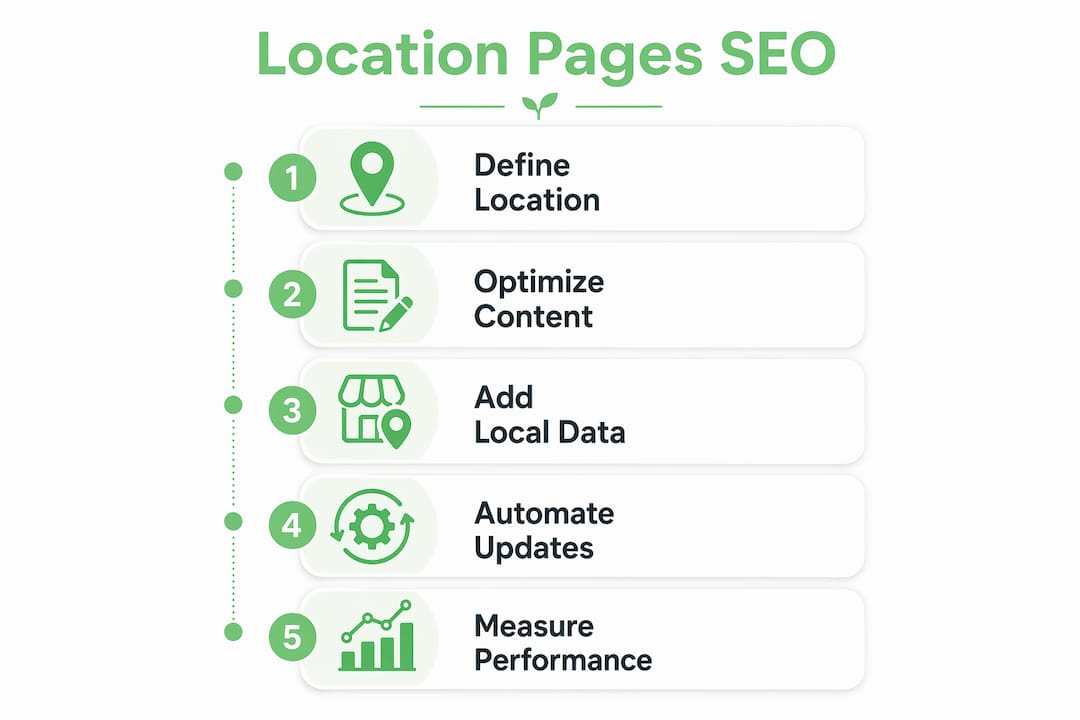
The role of location pages in SEO comes down to one core function: giving both search engines and real people a reliable source of truth for each place your business exists. That means NAP (Name, Address, Phone), hours, embedded maps, local reviews, and structured data schema working together to signal geographic relevance. When those signals are consistent and specific, you show up in the local pack, in organic results, and increasingly in AI-generated answers.

Here is what every local business owner and marketer needs to know about building location pages that actually perform.
Table of Contents
- What are location pages in SEO, and why do they matter?
- How location pages differ from generic service pages
- What does a high-performing location page actually contain?
- Location page SEO: how to build pages that rank
- How many location pages should you actually create?
- How AI search is changing what location pages need to do
- Key Takeaways
- Ready to build location pages that actually rank?
What are location pages in SEO, and why do they matter?
Location pages are dedicated web pages built for a specific business location or service area. Each page focuses on one place, whether that is a storefront, office, clinic, or the neighbourhood a mobile service covers. Their job is to supply search engines with enough localized information to index and rank the page for searches like “dentist in Oakville” or “plumber near me.” A location page works best alongside a strong listing, so learn how to optimize your Google Business Profile.
- NAP consistency: Name, address, and phone number must match exactly across the page, your Google Business Profile, and every citation directory.
- Embedded maps: A Google Map with a pin on your location helps both users and Google’s crawlers confirm your physical presence.
- Local reviews: Customer testimonials tied to that specific branch build trust and provide social proof that the location is active.
- Schema markup: LocalBusiness structured data tells search engines the precise facts about your business, including geo-coordinates, hours, and service types.
- Localized content: Hours, staff bios, parking details, and area-specific services are what separate a real location page from a doorway page.
Location pages also affect your rankings in the Google local pack, the map-based results that appear above organic listings for most “near me” queries. Without a dedicated page tied to each location, a multi-location business leaves that real estate to competitors. Location page SEO is the practice of optimizing these pages so they rank higher when people search for relevant products or services nearby.
How location pages differ from generic service pages
Generic service pages describe what you do. Location pages prove where you do it. That distinction drives every meaningful difference in how they perform.
- Geographic specificity: A service page for “roof repair” targets anyone searching that term. A location page for “roof repair in Hamilton, ON” targets buyers in a specific market who are ready to hire.
- Conversion readiness: Location pages often outperform blog posts in acquiring local customers because they deliver immediate, conversion-ready details: address, phone, hours, and a call to action, all above the fold.
- AI discovery signals: Geo pages connect traditional SEO with AI discovery by providing semantic signals that help AI systems understand and recommend local businesses. A generic service page rarely carries those signals.
- Duplicate content risk: Swapping only the city name across otherwise identical pages is the fastest way to get filtered out. Search engines treat templated pages as low-value, and mass-produced local pages that prioritize quantity over quality face indexing instability.
- User intent alignment: Someone searching “coffee shop near downtown Burlington” wants directions, hours, and parking. A generic service page cannot satisfy that intent. A location page built around that specific branch can.
The practical gap between a location page and a service page is not about length or design. It is about whether the content applies only to that one place. If you can copy a paragraph to another location page and it remains true, it is not doing its job.
What does a high-performing location page actually contain?
The anatomy of a strong location page is more specific than most businesses realize. Getting the basics right is table stakes. The pages that rank and convert go further. For topics to put on each page, use these 25 local content ideas.
- NAP and hours: The business name, full address, local phone number, and opening hours must be accurate, prominently placed, and consistent with the Google Business Profile for that location.
- Directions and accessibility: Customers use location pages to find parking, public transit routes, accessibility details, and nearby landmarks. These details affect whether someone actually shows up.
- Staff bios and photos: Real photos of the team at that specific location build familiarity before a customer walks in. Stock images do the opposite.
- Local reviews: Display reviews from customers who visited that branch, not generic company-wide testimonials. Reviews mentioning the specific location, staff member, or service carry more weight for both trust and SEO.
- LocalBusiness schema: Every location page needs its own unique schema block with the business name, address, local phone, hours, and geo-coordinates. Apply LocalBusiness (or a specific subtype like MedicalBusiness or AutomotiveBusiness) to branch pages, not the general Organization tag, which belongs only on the homepage.
- FAQ content: Google no longer shows FAQ rich results for most business sites, but a clear FAQ section (optionally marked up with FAQPage schema) still helps AI tools find and cite your answers. Localized FAQs (“Is there parking at your Yonge and Eglinton location?”, “Do you offer same-day service in Brampton?”) answer real customer questions and add unique content at the same time.
- Embedded Google Map: A map with a pin on the exact address reinforces geographic relevance for both users and crawlers.
- Clear call to action: Every location page needs an obvious next step. Book an appointment, call the branch, get directions. The CTA should match the search intent driving traffic to that page.
- Internal links: Link to nearby location pages and related service pages. This helps Google discover and crawl the full set of location pages, and it helps users navigate between branches.
Pro Tip: Divide your page layout into fixed and variable sections. About half the page can carry brand-level content (mission, service standards, company history) that stays consistent across locations. The other half must be dynamically populated with local data: real-time hours, team names, branch-specific reviews, and regional FAQs. This structure lets you scale without producing thin content.
Location page SEO: how to build pages that rank
Building a location page that ranks requires more than filling in an address. Every element from the URL to the schema block needs to signal the same geographic and topical relevance.
- Keyword research first: Target terms that combine your service with a specific location (“emergency plumber Mississauga,” “family dentist near Port Credit”). Use Google Search Console and keyword tools to find the actual phrases people type, not just the ones that sound logical.
- URL structure: Include both the service and the location in the URL slug. A URL like
example.com/plumbing/mississaugais cleaner and more crawlable than a flat structure where every location page sits one level from the homepage. - Title tag and H1: Lead with the target keyword in both. “Emergency Plumber in Mississauga, ON” in the title tag tells Google exactly what the page is about and gives searchers an immediate reason to click.
- Google Business Profile integration: Link your GBP directly to the corresponding location page. This connection lets your brand appear in the map pack, in organic results, and in a paid ad simultaneously on the same SERP, which compounds credibility and click-through rates.
- NAP consistency across citations: The name, address, and phone on the page must match every directory listing, citation, and review profile for that location. Inconsistencies confuse search engines and erode trust.
- Localized website copy: Write content that speaks to the specific community. Mention nearby neighbourhoods, local landmarks, or regional considerations that only apply to that branch.
- Mobile optimization: Most local searches happen on phones. The page needs to load fast, display the phone number as a tap-to-call link, and put the most critical information (address, hours, CTA) above the fold on a small screen.
- XML and HTML sitemaps: Location pages must appear in both sitemaps so Google can find, crawl, and index them. Internal linking from related content pages also helps, even though it can feel awkward when the only shared topic is geography.
- Conversion elements above the fold: The area visible before scrolling should include your unique selling points, aggregated review ratings, and a clear CTA. Many visitors land on a location page directly from a search result and never see your homepage.
How many location pages should you actually create?
More is not better. Google applies quality thresholds to every page it indexes, and thin location pages often end up crawled but not indexed, or treated as doorway pages.
- Physical presence is the clearest justification: If your business has a real storefront, office, or clinic at a location, that location deserves its own page. The address, staff, and services are inherently unique.
- A useful working rule: Google publishes no percentage, but aim for at least half of each page to be genuinely unique to that location so it never reads like a doorway page. If you cannot write content that applies only to that location, the page probably should not exist yet.
- Search volume matters: Before building a page for a suburb or secondary market, verify that people actually search for your service there. A page with no search demand is a page that will never rank.
- Location pages vs. geo pages: Location pages represent real physical addresses. Geo pages (also called service area pages) target areas where you work but have no office. Geo pages are harder to rank and easier to mistake for doorway pages, so they need even more unique content to justify their existence.
- Nearby locations need differentiation: If two branches are ten minutes apart and serve the same customer base, each page must explain why someone would choose that specific location. Real differences include staff, inventory, parking, hours, and local reviews, not just a different city name in the headline.
- Hub-and-spoke architecture: Multi-location SEO strategies work best with a central store locator or directory page linking to individual location pages, which then link back to the hub. This structure helps crawlers map the full set of pages and signals their relationship to each other.
- Avoid the doorway page trap: Google defines doorway pages as low-quality, repetitive pages built solely to rank for specific search terms. A page that swaps only the city name and funnels users to the same contact form is a doorway page, regardless of how it is labeled internally.
For businesses just starting out, the right approach is to build one location page properly, get it ranking and converting, and use it as the model for every subsequent page. One well-built page teaches you more than ten rushed ones.
Pro Tip: Pull live data from each branch to populate variable sections automatically: local review feeds, real-time hours, team names, and branch-specific FAQs. This lets you maintain uniqueness at scale without writing every word from scratch.

How AI search is changing what location pages need to do
Local SEO has always been about ranking in Google. Now it is also about getting cited by AI systems, and location pages sit at the center of both goals.
- Answer Engine Optimization (AEO): AI tools like Perplexity, Google AI Mode, and ChatGPT increasingly answer local queries by pulling from indexed web pages. Location pages that are well-structured, specific, and schema-tagged are the pages these systems cite.
- AI tools cite business websites directly: Perplexity and similar tools regularly quote business sites, including location pages, which makes a strong location page more valuable than ever.
- Structured data is the bridge: Schema markup gives AI systems the structured facts they need to confidently recommend your business. LocalBusiness schema is the minimum for any location page; FAQPage markup can help AI tools, while self-serving Review markup is not eligible for Google review stars.
- Templated content gets filtered: Google’s AI-driven search increasingly filters out location pages with thin or templated content. If your pages use identical text with only the town name swapped, AI systems can identify the lack of depth and skip the page entirely.
- Local citations and mentions feed AI understanding: The text in your customer reviews, your local landing page copy, and local press mentions all contribute to how AI models understand what each branch does best. A branch mentioned in a local roundup or “top 10” list is more likely to be recommended.
- GBP plus location page plus PPC: Linking your Google Business Profile directly to a well-optimized location page sends map-pack visitors to the most relevant page. With the right setup, your brand can appear three times on a single SERP: in the map pack, in organic results, and in a paid ad, all pointing to the same location page.
- Depth signals confidence: AI models favor comprehensive content. A location page that answers real questions (“How much does a tune-up cost in Burlington?”, “Do you offer same-day appointments?”) gives AI systems the specific data points they need to recommend your branch over a competitor’s.
The shift from discovery to recommendation in local search means a location page is no longer just a ranking asset. It is the page that gets cited when someone asks an AI assistant which business to call. That changes the standard for what “good enough” looks like.
Key Takeaways
Well-built location pages are the foundation of any local SEO strategy that wants to compete in both traditional search and AI-generated recommendations.
| Point | Details |
|---|---|
| Unique content threshold | Aim for at least 50% unique-value content per page to avoid doorway-page penalties. |
| AI citation rate | AI tools regularly cite business websites directly, which makes strong location pages important for AI visibility. |
| Schema is non-optional | LocalBusiness schema (plus clear FAQ content) helps both Google and AI systems understand and recommend your location. |
| GBP integration multiplies SERP presence | Linking your Google Business Profile to a location page can produce three simultaneous SERP appearances for one brand. |
| Quality beats quantity | One well-optimized location page outperforms ten templated ones; build to the standard before scaling. |
Ready to build location pages that actually rank?
If you are running a local business and your location pages are still templated placeholders with swapped city names, you are leaving real search traffic and AI citations on the table. The local SEO services at CloudSprout are built specifically for owner-operators who need pages that rank, convert, and get cited, without the agency runaround.

CloudSprout handles everything in-house: custom website development, location page architecture, schema implementation, and Google Business Profile integration. No outsourcing, no lock-in contracts, and every client starts with a free digital audit. If your local pages are not doing the work they should, that audit will show you exactly why.