Fix these three things on your Google Business Profile right now: verify your listing, correct your primary category, and start asking for reviews after every transaction. Those three moves address all three of Google’s official local ranking factors, and most small businesses in Ontario have at least one of them wrong.
Here is what you can do in the next hour:
- Verify your profile at business.google.com if you have not done so recently. An unverified profile cannot rank in the Map Pack, full stop.
- Check your primary category. Open your profile, tap “Edit profile,” and confirm the first category matches your single most important service, not a broad umbrella term.
- Match your NAP (name, address, phone) on your website’s footer and contact page to what your profile shows, character for character.
- Set your hours including holiday hours. Google flags profiles with missing hours as incomplete.
- Send one review request today to a recent customer by text or email.
Pro Tip: Never add keywords to your business name field. “Smith Plumbing — Emergency Plumber Toronto” violates Google’s Business Profile policies and can get your listing suspended. Your legal or commonly known business name goes there, nothing else.
Key Takeaways
Consistent Google Business Profile optimization comes down to five moves: verify, categorize precisely, fill every field, build review velocity, and align your website.
| Point | Details |
|---|---|
| Verify and categorize first | An unverified profile cannot rank; a wrong primary category misdirects every relevance signal. |
| Review velocity beats review count | 40 reviews in the last 90 days outperforms 200 reviews from three years ago for Map Pack rank. |
| Geo-grid before and after | Run a Local Falcon 5×5 grid before any change so you know what actually moved your rank. |
| Website and profile must match | Consistent NAP, services, and schema across both sources builds Google’s trust faster. |
| Cloudsprout free audit | Cloudsprout offers a free geo-grid snapshot and one-page action checklist for Ontario SMBs. |
Table of Contents
- What should you fix first? A timeboxed priority checklist
- How does Google actually rank local results?
- How do you audit your current visibility?
- What should you put in every field of your Google Business Profile?
- How do you build reviews without breaking Google’s rules?
- How does your website support your Google Business Profile?
- A testable 3-week action plan you can run yourself
- How do you know if your GBP work is actually paying off?
- What mistakes get businesses suspended or invisible?
- A Cloudsprout perspective on what Ontario SMBs get wrong
- Cloudsprout offers a free GBP audit designed primarily for owner-operated businesses in Ontario.
- Sources
- FAQ
What should you fix first? A timeboxed priority checklist
Not every GBP task is equal. Some take 20 minutes and move the needle within days. Others take weeks and pay off over months. Here is how to triage your time.
15–60 minutes: do these today
- Verify your profile (or confirm verification is current).
- Confirm your business name matches your signage and legal name exactly.
- Set your primary category to the most specific option that fits your top service.
- Add or correct your phone number, website URL, and address (or service area).
- Upload a cover photo and at least one exterior photo if you have a physical location.
- Set your regular hours and add upcoming holiday hours.
1 day to 1 week: relevance work
- Add every service you offer with a short description and price range where possible.
- Upload at least 10 photos across categories: exterior, interior, team, and completed work.
- Write your business description using the formula in Section 5.
- Configure your service area if you travel to customers rather than receiving them.
- Add your booking or appointment link if you use an online scheduler.
- Fill in all applicable attributes (wheelchair accessible, women-owned, LGBTQ+ friendly, etc.).
Ongoing: the maintenance that compounds
- Publish at least one Google Post per week (offer, update, or event).
- Send review requests tied to completed jobs or transactions.
- Check your profile weekly for unauthorized edits (Google allows users to suggest changes).
- Respond to every new review within 48 hours.
- Refresh photos monthly and update seasonal hours as needed.
Stat to know: BrightLocal’s consumer research shows that an increasing share of customers read reviews before choosing a local business, and the bar for an acceptable star rating keeps rising. A profile with stale reviews and a 3.8-star average loses customers before they ever call.
| Point | Details |
|---|---|
| Verify first | An unverified profile cannot appear in the Map Pack regardless of how complete it is. |
| Category precision | Choose the most specific primary category that matches your top service. |
| Review velocity | Send review requests after every transaction, not in batches. |
| Weekly posts | One post per week keeps the profile fresh and signals activity to Google. |
| NAP consistency | Your name, address, and phone must match your website exactly. |
How does Google actually rank local results?
Google uses exactly three named factors to rank local results: relevance, distance, and prominence. That is the complete official list, and Google’s own documentation recommends verifying your business and providing complete, accurate information so Google can match your profile to relevant searches.
Understanding which lever each task pulls is what separates random activity from a real strategy.
| GBP Signal | Ranking Factor | Expected Impact |
|---|---|---|
| Primary category | Relevance | High |
| Services list | Relevance | High |
| Business description | Relevance | Medium |
| Physical address / service area | Distance | Fixed (set once) |
| Review count and velocity | Prominence | High |
| Review rating | Prominence | High |
| Photo count and freshness | Prominence | Medium |
| Website backlinks and citations | Prominence | Medium |
| Google Posts | Relevance + Prominence | Medium |
| Attributes | Relevance | Low–Medium |
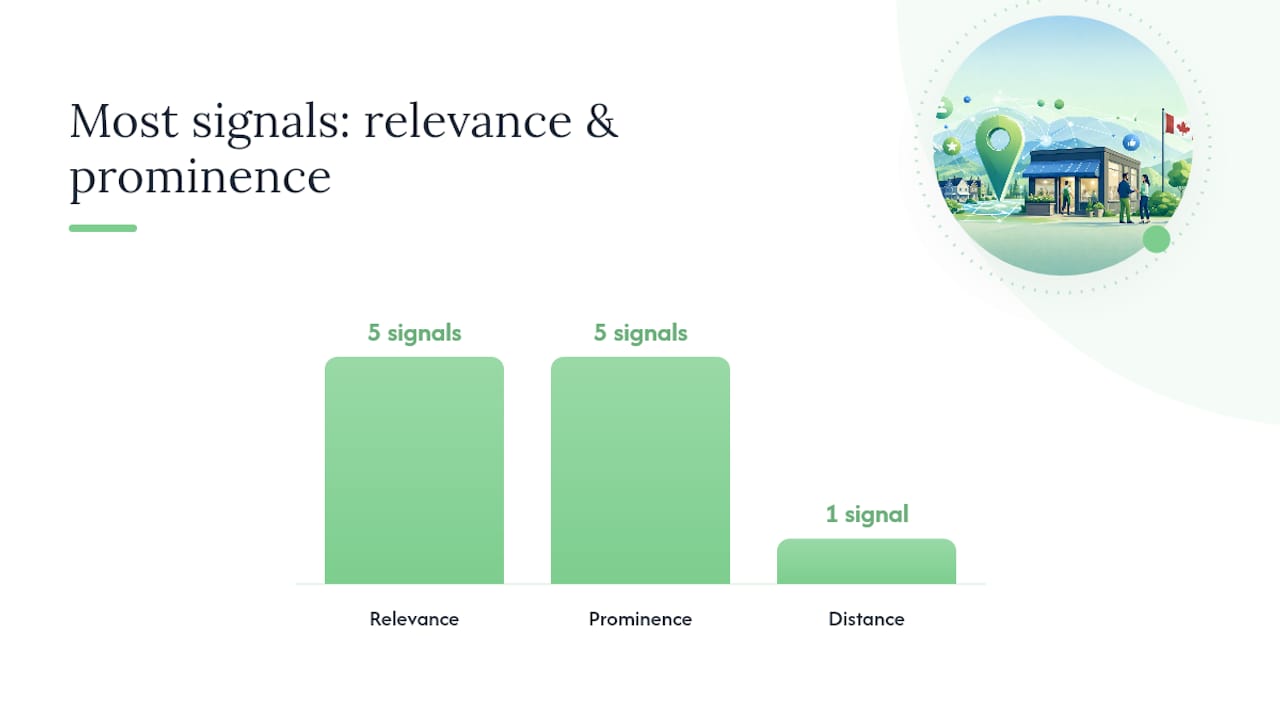
Distance is the one factor you cannot change. Your address is your address. That means the real optimization game is split between relevance (does Google understand what you do?) and prominence (does Google trust you enough to show you?). Prominence is the most changeable of the three. Reviews, local citations, and inbound links are all things you can actively build, which is why they deserve the most sustained attention.
Pro Tip: Run a geo-grid audit (covered in the next section) before deciding which factor to prioritize. If your rank collapses beyond two kilometers, distance is the constraint and you need hyper-local content. If you rank poorly even near your address, relevance or prominence is the gap.
How do you audit your current visibility?
The fastest way to know where you actually stand is a geo-grid test. Geo-grid testing using Local Falcon’s methodology is the recommended approach for isolating distance effects and measuring where profile or review changes actually improve Map Pack rank.
Step-by-step: run your first visibility audit
- Choose your top 2–3 keywords. Think like a customer: “plumber Mississauga,” “Italian restaurant downtown Hamilton,” “bookkeeper Barrie.” These are the queries you want to rank for.
- Set up a 5×5 geo-grid in Local Falcon centered on your business address. A 5×5 grid places 25 rank-check points across your service area, typically spaced 0.5–1 km apart for urban businesses or 2–5 km apart for suburban ones.
- Run the grid for each keyword. The output is a heatmap showing your Map Pack rank at each point. Green means top 3. Red means you are not visible.
- Interpret the pattern. If you rank well at the center but drop off sharply beyond 1–2 km, distance is the limiting factor. If you rank poorly even at your own address, the problem is relevance or prominence.
- Run a competitor category audit. Search your top keyword in Google Maps and open the top 3 profiles. Note their primary categories, secondary categories, and review counts. That is your benchmark.
- Check review velocity. Count how many reviews each competitor received in the last 90 days. That number is your target monthly velocity.
Tools for your audit
- BrightLocal: review monitoring, reputation reporting, and citation auditing. Useful for tracking 90-day review velocity across multiple locations.
Audit checklist: what to capture
- Current Map Pack rank for top 3 keywords (at your address and 2 km out).
- Primary category match vs. top competitors.
- Missing profile fields (services, description, attributes, photos).
- Review count, average rating, and 90-day velocity vs. top 3 competitors.
- Last photo upload date and total photo count.
- Date of last Google Post.
What should you put in every field of your Google Business Profile?
Complete and consistent NAP plus a correct primary category are the baseline before any advanced tactics. Everything else builds on that foundation.
Business name
Use your legal or commonly known business name only. No descriptors, no city names, no service keywords. A bakery called “Sweet Crumbs” should appear as “Sweet Crumbs,” not “Sweet Crumbs — Best Bakery Toronto.”
Primary and secondary categories
Your primary category is the single most important relevance signal in your profile. Choose the most specific option available. “Electrician” beats “Contractor.” “Italian Restaurant” beats “Restaurant.” Add secondary categories only for services you genuinely offer and that represent meaningful revenue, as Whitespark’s optimization guide notes that adding too many secondary categories dilutes your relevance for the primary one.
Business description
Use this formula for your first sentence: [What you do] + [city or area] + [who you serve] + [one trust point]. For example: “Sweet Crumbs is a scratch bakery in Guelph serving custom cakes and pastries for weddings, corporate events, and everyday celebrations, with over 200 five-star reviews from local families.” Keep the full description under 750 characters and front-load the most important information. Descriptions optimized for AI extraction, with clear service names and location signals, also feed Google’s AI Overviews and local features.
Services and products
List every service individually rather than grouping them. “Drain cleaning,” “water heater installation,” and “emergency plumbing” each catch different search queries. Add a short description (2–3 sentences) and a price or price range where you can. This is one of the highest-leverage relevance moves available, and a complete profile with filled services correlates directly with higher engagement and visibility.
Photos and video
Upload a minimum of 10 photos at launch, then add new ones monthly. Cover these types: exterior (from the street, so customers recognize you), interior, team or owner, and project or product shots. For trades and contractors, before/after photos of completed work are particularly strong. Video clips under 30 seconds work well for food service and retail. Photo freshness acts as an activity signal, so a profile with its last upload from 18 months ago looks dormant compared to one updated last week.
Stat to know: QuickSprout’s GBP optimization guide notes that a complete profile with regular posts and fresh photos yields measurable visibility and engagement improvements within weeks for many businesses.
How do you build reviews without breaking Google’s rules?
Review velocity and rating are the highest-leverage prominence signals you can control. A business with 12 reviews from three years ago loses to a competitor with 40 reviews from the last six months, even if the older business has a higher average rating.
A review-request workflow that works
- Trigger: Complete a job, deliver an order, or close a service call.
- Wait 2–4 hours (or until the next morning for evening jobs) so the customer has had time to experience the result.
- Send a short text or email. Keep it under three sentences. Example: “Hi [Name], thanks for choosing [Business]. If you have a moment, a quick Google review helps us a lot — here’s the link: [short URL]. We really appreciate it.”
- Follow up once if you get no response after 5 days. One follow-up is fine; two starts to feel pushy.
- Respond to every review within 48 hours, positive or negative.
Response templates
- Positive: “Thank you, [Name]! We’re glad the [service] went smoothly. We look forward to helping you again.”
- Neutral (3–4 stars): “Thanks for the feedback, [Name]. We’d love to hear more about what we could have done better. Feel free to reach out directly at [phone/email].”
- Negative: “We’re sorry to hear this, [Name]. This isn’t the experience we aim to provide. Please contact us at [phone/email] so we can make it right.”
For a deeper look at how reviews affect your local ranking, the Cloudsprout guide on reviews and local SEO walks through the mechanics in detail.
Metrics to track
- Total review count.
- 90-day review velocity (new reviews in the last 90 days).
- Average star rating.
- Percentage of reviews mentioning a specific service or location keyword.
What to avoid
Never offer discounts, gifts, or incentives in exchange for reviews. Never ask employees or friends to post fake reviews. Both practices violate Google’s policies and can result in review removal or profile suspension. If you suspect a competitor is posting fake reviews against your business, use the “Report a review” option in your profile and document the pattern before submitting. For practical review-generation workflows, this guide on getting more Google reviews covers templates and timing in detail.
How does your website support your Google Business Profile?
Your GBP and your website need to tell the same story. Profiles that treat GBP and website data as a single authoritative source — matching NAP, services, and schema — gain trust faster than those that treat the profile as a separate silo.
Want this working in your business. Without doing it yourself?
Start a Project →On-site checklist
- NAP in the footer: your business name, address, and phone number should appear in text (not an image) on every page.
- LocalBusiness schema markup: add structured data so Google can parse your name, address, phone, hours, and service area without guessing. Your web developer can add this in under an hour.
- Location pages: if you serve multiple cities, a dedicated page for each location (with unique content, not a copy-paste) strengthens relevance for those areas. See how location pages support GBP authority for the full breakdown.
- Service pages that match GBP services: if your profile lists “drain cleaning” as a service, your website should have a page or clear section about drain cleaning. Mismatches confuse Google and reduce relevance.
- Booking link: connect your GBP appointment link to the same booking tool your website uses. Consistency matters.
Tracking GBP clicks with UTM tags
Add UTM parameters to your website URL in your GBP (e.g., ?utm_source=google&utm_medium=gbp&utm_campaign=local) so Google Analytics 4 can separate GBP-driven traffic from organic search. This lets you measure actual conversions from your profile, not just impressions. Website copy alignment between your GBP description and your site’s service pages reinforces relevance signals for both.
Pro Tip: Search your own business name in Google and check the Knowledge Panel. If the address, phone, or hours shown there differ from your website, that is a mismatch Google has already noticed. Fix the website first, then confirm the GBP matches.
A testable 3-week action plan you can run yourself
Run one variable at a time. Testing one change per week with a geo-grid before/after comparison is the only way to know which action actually moved your rank.
Week 1: diagnose and fix the basics
- Run your geo-grid in Local Falcon for your top 2–3 keywords. Screenshot the results.
- Complete the audit checklist from Section 4: category match, missing fields, review velocity gap.
- Verify your profile if needed.
- Fix your primary category if it is wrong.
- Correct any NAP mismatches between your profile and website.
- Set or update your hours, including upcoming holidays.
| Task | Factor Affected | Time to See Change | Effort |
|---|---|---|---|
| Verify profile | Relevance + Prominence | Days | Low |
| Fix primary category | Relevance | 1–2 weeks | Low |
| Correct NAP | Relevance + Prominence | 1–2 weeks | Low |
| Add services list | Relevance | 1–2 weeks | Medium |
| Upload 10+ photos | Prominence | 2–4 weeks | Medium |
| Start review requests | Prominence | 4 weeks | Medium |
| Local citation building | Prominence | 2–3 months | High |
Week 2: relevance work
Add or complete your services list with descriptions and price ranges. Write your business description using the first-sentence formula from Section 5. Upload at least 10 photos if you have not already. Publish your first Google Post (an offer, a recent project, or a seasonal update). Start your review-request workflow for every job completed this week. Do not change your primary category again this week; let Week 1’s changes settle.

Week 3: prominence and measurement
Send review requests for every job from Weeks 1 and 2 that has not yet responded. Research 5–10 local citation directories relevant to your industry (Yellow Pages Canada, BBB, industry associations) and submit consistent NAP. Publish a second Google Post. At the end of Week 3, run the same geo-grid you ran in Week 1 and compare. A structured audit and 90-day maintenance plan typically shows measurable improvements within 30–90 days for many businesses, though high-competition markets can take 6–12 months.
What counts as a signal that something moved: your average grid rank improves by 1–3 positions near your address, or the green zone on your heatmap expands outward. A single position jump in a competitive market is meaningful. Do not expect to go from rank 12 to rank 1 in three weeks in a dense urban market.
How do you know if your GBP work is actually paying off?
Impressions and clicks are a start, but the metrics that matter for a small business are the ones that connect to revenue.
Primary KPIs to track
- Calls from profile: found in GBP Insights under “Calls.”
- Website clicks: how many people clicked through to your site from the profile.
- Direction requests: a strong proxy for foot traffic intent.
- Bookings: if you have a booking link connected, track completed bookings separately.
- Review count and 90-day velocity: new reviews in the last 90 days vs. the prior 90 days.
- Search impressions: how often your profile appeared in local search results.
Tools and cadence
- GBP Insights: weekly check for calls, clicks, and direction requests.
- Google Search Console: monthly check for organic impressions and clicks to your website from local queries.
- Local Falcon: run the same geo-grid monthly to track rank movement over time.
- BrightLocal or Whitespark: quarterly review-velocity reports and citation health checks.
Weekly, spend five minutes checking for unauthorized profile edits. Google allows users to suggest changes to business information, and those suggestions can be auto-applied. Monthly, pull your review velocity and compare it to your top competitor. Quarterly, run a full audit: geo-grid, category check, photo count, and field completeness.
Stat to know: Review signals including quantity, recency, and average rating are among the strongest measurable correlates with Map Pack rank. Businesses that track 90-day velocity rather than total review count get a more accurate picture of their competitive position.
What mistakes get businesses suspended or invisible?
The most common fatal errors are incorrect verification, business-name keyword stuffing, inconsistent NAP, fake or incentivized reviews, and duplicate listings. Each one can either block ranking or trigger a suspension.
- Unverified or lapsed verification: if Google re-prompts you to verify and you ignore it, your profile can stop ranking. Check your verification status monthly.
- Keyword stuffing in the business name: adding “Best HVAC Toronto” to your name field is a policy violation. Competitors can flag it, Google can remove it, and in serious cases your listing gets suspended. Fix: revert to your legal business name immediately.
- Inconsistent NAP: if your website says “Suite 200” and your GBP says “Ste. 200,” that is a mismatch. Standardize the format across every directory and your website.
- Fake or incentivized reviews: Google’s algorithms and human reviewers catch patterns. A sudden spike of 20 reviews in one week from accounts with no other activity is a red flag. Fix: build reviews slowly and organically through your transaction workflow.
- Duplicate listings: if your business has two GBP listings (common after a move or rebrand), the ranking signals are split. Request removal of the duplicate through the “Suggest an edit” function or Google Business Profile support.
- Service-area overreach: setting your service area to cover all of Ontario when you realistically serve a 50 km radius hurts your relevance for the areas you actually serve. Google recommends configuring service areas precisely to protect conversion rates and relevance.
If your visibility suddenly drops
Check these in order: (1) confirm your profile is still verified, (2) look for any auto-applied edits to your category or address, (3) check for a new duplicate listing, (4) review your recent review activity for a policy flag. If you suspect a suspension, the Google Business Profile support chat is the fastest path to resolution.
A Cloudsprout perspective on what Ontario SMBs get wrong
Working with owner-operated businesses across Ontario, a few patterns show up repeatedly. The most common is service-area overreach: a plumber in Kitchener sets their service area to cover the entire Greater Toronto Area, which dilutes their relevance for the Kitchener-Waterloo queries they could actually win. The fix takes five minutes and the improvement in local rank for nearby searches is often visible within two weeks.
The second pattern is category dilution. A landscaping company adds eight secondary categories hoping to catch every possible query. Instead, Google struggles to understand what the business primarily does, and the profile underperforms for the one or two services that actually drive revenue. Narrowing to a precise primary category and two or three closely related secondaries consistently outperforms the “add everything” approach, which aligns with what Whitespark’s GBP guide documents for local businesses.
The fast win we see most often: a business that has never sent a single review request starts a simple post-job text workflow. Within 60 days, their review count doubles and their Map Pack rank improves for their primary keyword. No category changes, no new photos, just consistent review velocity. It is the lowest-effort, highest-return move available to most small businesses right now.
For a broader look at the SEO checklist for owner-operated businesses in 2026, Cloudsprout’s guide covers the full picture beyond GBP alone.
Cloudsprout offers a free GBP audit designed primarily for owner-operated businesses in Ontario.
Cloudsprout offers a free Google Business Profile audit for owner-operated businesses in Ontario. Here is exactly what the audit covers: a geo-grid snapshot for your top 2–3 keywords, a one-page action checklist identifying your highest-priority fixes, and a 30-minute review call with the team member doing the work.

The audit is built for businesses with 1–50 employees in trades, food service, professional services, and e-commerce who want a clear picture of where they stand before committing to ongoing work. Cloudsprout operates on month-to-month pricing with no lock-in contracts, and you deal directly with the people doing the work, not an account manager passing messages.
If your profile has not been touched in months, or if you have tried optimizing it yourself and are not seeing movement, a free SEO audit is the fastest way to find out what is actually holding you back. For businesses ready to go further, Cloudsprout’s local SEO services cover ongoing GBP management, citation building, and website alignment under one roof.
Sources
- Google Business Profile Help — Improve your local ranking on Google
- Google Business Profile Optimization — BrightLocal
FAQ
How do you fully optimize a Google Business Profile?
Start with verification, then set the correct primary category, complete every field (services, description, hours, photos, attributes), and build a consistent review-request workflow tied to transactions. Run a geo-grid audit before and after changes to measure what actually moved.
What does a Google Business Profile optimization service include?
A professional GBP optimization service typically covers a geo-grid audit, category and field corrections, photo uploads, review-request workflow setup, citation building, and ongoing monthly maintenance including posts and monitoring. Cloudsprout’s service includes all of these with no lock-in contract.
How do I optimize my Google Business page myself?
Verify your profile, fix your primary category, fill in services with descriptions and prices, upload at least 10 photos, write a description using the service-city-customer-trust formula, and send review requests after every job. The 3-week plan in this guide gives you a week-by-week sequence.
What is the 80/20 rule in SEO?
Advanced tactics like citation building and schema markup matter, but they amplify a strong foundation rather than replace it.
Recommended
Less reading. More growing.
We build the systems these articles describe. Websites, AI follow-up, reviews, automation. And run them for you.
Keep reading