A website maintenance plan is a scheduled set of tasks, usually run monthly, that keeps your site secure, backed up, fast, and free of broken links or outdated content. Every small business should have at least an entry-level plan running. Skip it, and you’re gambling with downtime, security breaches, and search rankings for the sake of saving $50 to $150 a month.
TL;DR:
- Small businesses should prioritize monthly updates, backups, and performance checks to prevent security breaches and search ranking penalties.
- Tiered pricing options range from $50 to $150 monthly for essentials, with higher levels including staging, detailed reporting, and rapid response for critical sites.
- Building an effective maintenance plan requires an initial audit, scheduled testing, off-site backups, and clear monitoring response protocols.
- Most common maintenance mistakes involve skipping staging updates and fail-safe restore tests, which can result in costly website downtime or security breaches.
- A free audit can help identify current vulnerabilities and guide a tailored maintenance plan, ensuring the site remains secure, functional, and well-optimized.
Table of Contents
- What Is a Website Maintenance Plan and Why Does It Matter?
- What Should Be on Your Website Maintenance Checklist?
- How Much Does a Website Maintenance Plan Cost?
- How Do You Build a Website Maintenance Plan From Scratch?
- DIY, Freelancer, or Agency: Which Fits Your Site?
- How CloudSprout Handles Website Maintenance for Clients
- What I’d Actually Do This Week
- Get a Free Audit Before You Pick a Maintenance Plan
- Sources
- FAQ
What Is a Website Maintenance Plan and Why Does It Matter?
Think of your website like a delivery van. You wouldn’t skip oil changes because it drove fine last week. A website maintenance plan is the same idea applied to code: routine checks that catch small problems before they become the kind that shuts you down for a weekend.
Four things get protected: security, backups and recovery, performance, and content or user experience. Miss any one of them and the others eventually break too, since an outdated plugin can open a security hole, and a security hole can wipe out the backup you never tested.
The business cost of skipping maintenance is not abstract. CISA’s own guidance points to patching and monitoring as basic hygiene, not optional extras, because unpatched software is one of the easiest doors for attackers to walk through. A Toronto bakery running an old WooCommerce plugin can wake up to a defaced homepage. A Hamilton plumbing company’s contact form can silently stop sending emails for three weeks, and nobody notices until a customer complains they never heard back.
Here’s what tends to go wrong without a plan in place:
- Search rankings slide because Google penalizes slow or broken pages
- Contact forms fail silently and leads vanish without a trace
- Outdated plugins create security gaps hackers actively scan for
- Site crashes during a busy sales period with no recent backup to restore
- Mobile visitors, who make up more than half of all web traffic, hit a page that never got tested on a phone
What Should Be on Your Website Maintenance Checklist?
A workable checklist runs on a rhythm. Some tasks need eyes on them every day; others only need attention once a year. Here’s a cadence you can hand to a contractor or run yourself.
- Daily. Uptime monitoring should ping your site every few minutes from multiple locations, ideally catching downtime before a customer does. Spam filtering on contact forms also runs daily, since a flooded inbox buries real leads.
- Weekly. Run a malware scan, confirm the automatic backup from the night actually completed, and skim plugin or theme update notices for anything marked critical.
- Monthly. This is the heavy lift. Apply updates on a staging copy first, test that nothing broke, then push live. Run a performance check, a broken-link scan, and click through every form on the site, including the checkout flow if you sell online.
- Quarterly. Step back and audit content for accuracy, check core pages against basic accessibility standards, and review the overall user experience with fresh eyes, or better, someone else’s eyes.
- Annually. Renew your domain and SSL certificate well before expiry, run a full security audit, and reassess whether your current hosting still fits your traffic and needs.
Shopify’s own maintenance checklist follows a nearly identical rhythm, which tells you this isn’t agency invention. It’s just how well-run sites operate.
The task that gets skipped most often is the staging step. Business owners see an update notification, click it on the live site, and hope for the best. That’s how a $40 checkout plugin update takes down sales for a day.

Pro Tip: Set a recurring calendar reminder for the same day every month, like the first Monday, to run your update-and-test cycle. Sites that get maintained on a fixed schedule catch problems weeks before sites that get maintained “whenever someone remembers.”
Vulnerability scanning matters here too. OWASP’s Top Ten list of common web application risks, things like injection attacks and broken access control, is exactly what monthly and quarterly checks are designed to catch before they become a breach.
How Much Does a Website Maintenance Plan Cost?
Pricing splits into three practical tiers for most small businesses, and knowing which one fits your risk level saves you from either overpaying or under-protecting your site.
- Essentials tier ($50 to $150 a month): Covers automated off-site backups, core software and plugin updates, and basic uptime monitoring. This range lines up with what GoDaddy documents as the typical floor for small business sites, and it’s the right starting point for a simple brochure site or a local service business with no online ordering.
- Growth tier (a moderate monthly fee): Adds monthly performance tuning, a written report you actually read, a few hours of content updates, and a proper staging environment for testing changes before they go live. Agencies commonly start their packages in this category.
- Priority or e-commerce tier (a higher monthly fee): Built for sites where an hour of downtime costs real money. Real-time backups, 24/7 monitoring, faster response guarantees, and more included development hours all live here. A restaurant taking online orders or a shop running Shopify checkout belongs in this tier, not Essentials.
Platform choice shifts these numbers. A managed WordPress host with built-in backups and caching can push you toward the low end of Essentials. A drag-and-drop builder site often bundles basic maintenance into its monthly subscription already, so a separate plan may only need to cover content and SEO. A custom-built CMS, on the other hand, usually needs a developer on the account, which nudges the whole plan toward Growth or Priority pricing regardless of site size.
How Do You Build a Website Maintenance Plan From Scratch?
Building one isn’t complicated, but it does take an afternoon of honest inventory work before you write a single task down.
- Audit what you actually have. List the CMS version, every plugin or app installed, third-party integrations like email marketing or booking tools, and every form or payment flow on the site.
- Turn the audit into a task list with owners. Assign each task a frequency and a name attached to it, even if that name is you. Build a one-page spec sheet with logins, hosting details, and step-by-step restore instructions, so anyone can act if you’re unavailable.
- Set up staging and off-site backups. Every update gets tested on staging first, a professional standard worth adopting even on a small site. Backups should follow the 3-2-1 rule: three copies, on two different types of storage, with one stored off-site.
- Schedule a monthly restore test. A backup you’ve never restored is a guess, not a safety net. Pick one day a month to actually restore it to a staging environment and confirm it works.
- Pick monitoring tools like Free Amazon Seller Tools — ACoS & ROAS Calculators and write down your response plan. Decide what happens when uptime monitoring sends an alert at 2 a.m., who gets notified, and how fast a fix is expected.
- Write it all down and revisit quarterly. A plan living only in your head disappears the day you’re on vacation.
Pro Tip: Do your restore test on the same day you pay your hosting bill. Pairing the two turns a task you’d otherwise forget into one you can’t skip.
DIY, Freelancer, or Agency: Which Fits Your Site?
The right choice depends less on budget and more on how much it costs you when the site breaks.
Want this running in your business without doing it yourself?
Book a Free Consultation →A low-traffic brochure site with no online sales can often survive on DIY maintenance using a managed host’s built-in tools. A freelancer makes sense for a site with moderate complexity where you want a human doing monthly updates but don’t need 24/7 response times. A managed-host subscription bundles basic maintenance into hosting fees, which works well for simple sites but rarely covers custom development or content strategy. A full agency plan makes sense once downtime, a security breach, or a broken checkout would cost you real revenue.
Whoever you choose, ask these questions before signing anything:
- Do you test backup restores, or just create backups and hope?
- Is there a staging environment for testing updates before they go live?
- What’s your monitoring cadence, and what’s your response time when something breaks?
- Will I get a monthly report, and how many development hours are actually included?
Red flags are straightforward: no staging, no tested restores, no defined response time, and no written monthly report. Any one of those means you’re paying for a promise, not a plan.
How CloudSprout Handles Website Maintenance for Clients
Maintenance can be run entirely in-house on a month-to-month basis, without lock-in contracts. Client plans may start with a free digital audit that flags security gaps, outdated plugins, and performance issues before any payment.
From there, a documented plan may include staging environments for safe updates, automated backups with off-site copies, monthly reports, and clearly defined response windows. When maintenance is handled by a direct team without outsourcing, the person who built the site may be the same one fixing issues, which can speed resolution times.
What I’d Actually Do This Week
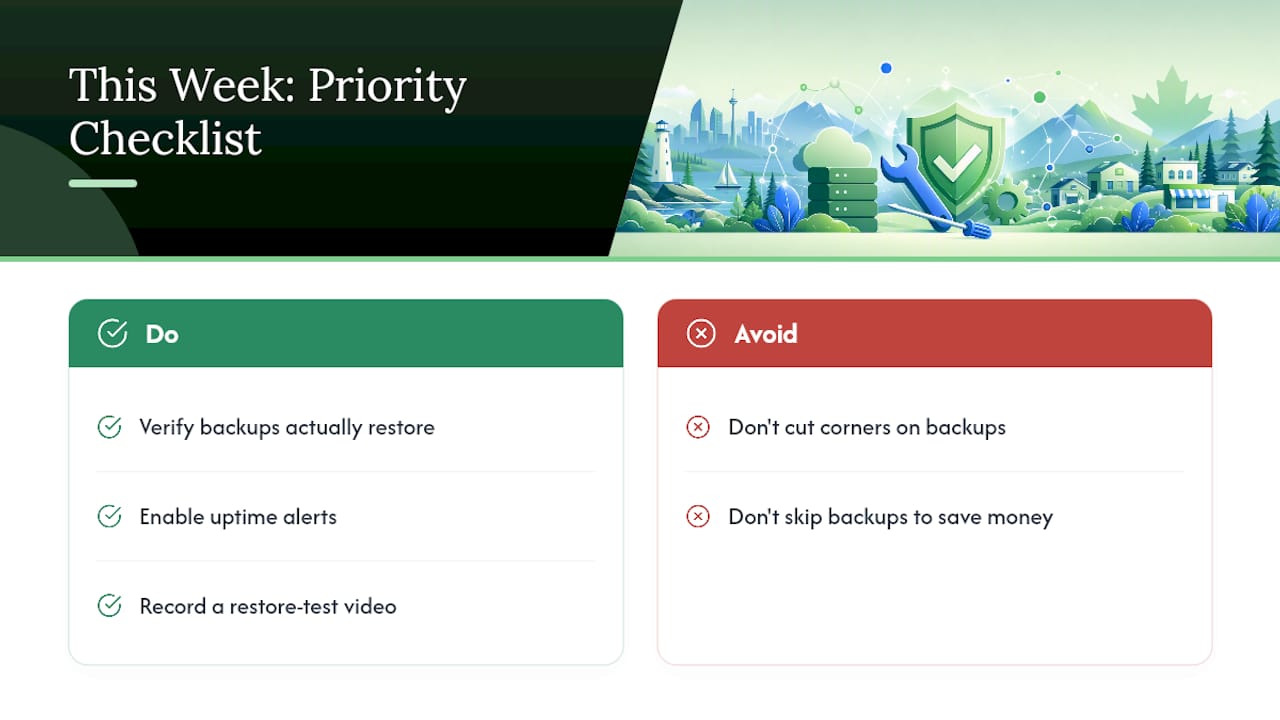
If you do nothing else this week, check two things: confirm your backups actually restore, and turn on uptime alerts if you haven’t. Most owners have one but not the other, and the one they’re missing is usually the one that would have saved them.
Here’s a video idea worth stealing: film a real restore test, screen recording the “before” broken state and the “after” fixed state side by side. It’s oddly satisfying to watch, and it teaches your audience something real in under a minute.
And if your budget is tight, don’t cut corners on backups to save money. Move static, low-risk pages to a simpler managed setup instead. That’s where the real savings are.
— Cristo
Get a Free Audit Before You Pick a Maintenance Plan
Some agencies offer alternatives to traditional retainers for website maintenance, including month-to-month pricing with no lock-in, and having backups, updates, and security checks handled in-house rather than outsourced.
A free audit at the start of a relationship may check current backups, security posture, page speed, and mobile performance, then recommend a plan tier based on site needs rather than a generic package. You’ll see exactly where your site stands before committing to anything. If you’re building a new site or your current one needs more than patchwork fixes, start with the website development team and fold maintenance into the build from day one. If your existing site just needs a health check, request the free SEO audit this week and see the results for yourself.
Sources
This article draws on guidance from CISA, OWASP, W3C’s WCAG standards, and cost data from GoDaddy.
FAQ
What Is a Website Maintenance Plan?
It’s a scheduled set of tasks, security updates, backups, performance checks, and content reviews, that keeps a website secure, functional, and fast over time.
How Much Does It Cost to Pay Someone to Maintain a Website?
Basic plans typically run $50 to $150 a month, while agency plans with reporting and dev hours often start between $200 and $500 a month for small sites.
What Should a Maintenance Plan Include?
At minimum, it should cover automated off-site backups with test restores, software and security updates tested on staging, uptime monitoring, and a broken-link and form check.
How Often Does a Website Need Maintenance?
Uptime monitoring runs continuously, backups get checked weekly, updates and performance audits happen monthly, and full security or accessibility reviews happen quarterly to annually.
Does CloudSprout Offer Website Maintenance Plans?
Maintenance can be run in-house on a month-to-month basis, often starting with a free audit to identify specific site needs before recommending a plan tier.
Recommended
Less reading. More growing.
We build the systems these articles describe. Websites, AI follow-up, reviews, automation. And run them for you.
Keep reading