

Local SEO for trades is the process of making a plumbing, electrical, HVAC, roofing, landscaping, renovation, or other service business easier to find when nearby customers search on Google. The strongest starting point is simple: build an accurate Google Business Profile, create a policy-compliant review process, and publish one useful page for the service you most want to sell.
Those steps do not guarantee a Map Pack position. They do improve the information Google and potential customers use to understand what you do, where you work, and whether your business is a credible choice.
By CloudSprout Editorial Team · Reviewed September 25, 2026
Quick answer: If you have limited time, verify your Google Business Profile, correct your primary category and service area, create a review link for real customers, and improve the service page connected to your profile. Track calls, quote requests, and booked jobs—not rankings alone.
What this local SEO guide covers
- What local SEO for trades means
- The three priorities that support local leads
- A practical 30-day action plan
- How to audit your Google Business Profile
- Rules for service-area trade businesses
- How to build a compliant review system
- How to build service pages that convert
- When location pages make sense
- Citations and local links
- How to measure calls and booked work
- Timelines, costs, and realistic expectations
- Common local SEO mistakes
What is local SEO for trades?
Local SEO helps a trade business appear in Google Search and Maps for relevant searches made by people in or near its real service area. Examples include “emergency plumber near me,” “electrician in Hamilton,” or “furnace repair in Barrie.” The same local basics apply to professionals, with extra rules; see law firm SEO in Canada.
Google explains that local results are mainly based on three factors:
- Relevance: how closely the business information matches what the customer needs;
- Distance: how far the business is from the customer or the location used in the search; and
- Prominence: how well known the business appears based on signals that can include links, reviews, and other information Google finds.
You can improve relevance and prominence, but you cannot control the customer’s location or buy a better organic local ranking from Google. That is why legitimate local SEO focuses on accurate information, useful pages, customer proof, website quality, and measurement instead of guaranteed positions.
The three priorities that support local leads
1. Make your Google Business Profile accurate
Your profile should use the real business name, the most specific accurate primary category, current hours, a working local or toll-free phone number, the correct website, and a truthful service area. Add relevant services and real photos that help a customer understand the work you perform.
2. Build a review process for every eligible customer
Ask customers with genuine experiences for honest feedback using Google’s review link or QR code. Do not offer discounts or other incentives, and do not ask only customers you expect to leave positive feedback. Reply professionally without disclosing private job or customer information.
3. Strengthen one high-value service page
Choose a service that is profitable, regularly requested, and supported by real experience. Build a page that explains the problem, your process, service area, qualifications, proof, quote factors, and next step. Connect the page to a clear call or estimate action.
This three-part foundation preserves the original playbook: profile, reviews, and service page. The difference is that success is measured through qualified calls and booked work rather than a promised ranking deadline.
A practical 30-day local SEO plan for trades
This schedule is an implementation framework, not a ranking guarantee. The work can be completed faster or slower depending on profile access, website condition, market competition, and the number of services and locations.
| Period | What to do | What you should have |
|---|---|---|
| Week 1 | Confirm profile ownership, business name, category, address or service area, hours, phone number, website, services, and access permissions. | An accurate, policy-compliant Google Business Profile |
| Week 2 | Create the Google review link or QR code, decide when staff will ask, prepare a neutral request, and assign responsibility for replies. | A repeatable review process for genuine customers |
| Week 3 | Improve the top service page with clear copy, original job evidence, service coverage, trust information, and a short mobile-friendly form. | A page designed to turn relevant visits into calls or quote requests |
| Week 4 | Check key business listings, add campaign tracking to the profile website link, test calls and forms, record a baseline, and fix obvious mobile issues. | A measurable lead path from search to enquiry |
After the first month, continue collecting real proof, improving priority services, checking profile performance, and building useful local relationships. Avoid launching dozens of thin city pages or making several major changes without recording a baseline.
How to audit a Google Business Profile for a trade business
Use the following checklist in the account that owns the profile:
- Ownership: the business owner retains owner access, even if an employee or agency manages the profile.
- Business name: it matches real-world signage, invoices, vehicles, and branding. Do not add cities, services, or promotional keywords that are not part of the genuine name.
- Primary category: choose the most specific category that describes what the business is, such as “Plumber” or “HVAC contractor,” when accurate.
- Additional categories: use only the fewest additional categories needed to describe other core parts of the business. Categories are not a place to list every service.
- Phone and website: both connect directly to the business or its relevant location and work properly on mobile.
- Hours: normal, holiday, and emergency availability are accurate. Do not mark the business open 24 hours unless customers can genuinely receive service during those hours.
- Services: list services the business actually offers, using plain language customers understand.
- Photos: add clear, recent images of real staff, vehicles, equipment, and completed work when customer privacy and job-site rules allow it.
- Security: enable two-step verification and review owners and managers. Never share passwords or verification codes with an unknown caller.
Google recommends complete and accurate profile information and says that photos, reviews, and helpful review replies can make a business stand out. It does not publish a required number of photos or posts for better ranking, so use quality and accuracy rather than arbitrary quotas.
For a deeper walkthrough, see CloudSprout’s Google Business Profile optimization guide.
Google Business Profile rules for service-area businesses
Many trades travel to the customer and do not receive customers at their office or home. Google treats these as service-area businesses.
- If customers do not visit and receive service at your business address, remove the address from the public profile.
- Do not use a virtual office, remote mailbox, or unstaffed coworking address as a storefront.
- Set service areas using the cities, postal codes, or areas you genuinely serve. Google currently allows up to 20 service areas.
- Google advises that the overall service area generally should not extend beyond about two hours of driving time from the business base, although some businesses may reasonably cover more.
- A service-area business normally uses one profile for the area it serves. Do not create a separate profile for every town.
- A genuine second location may qualify for its own profile when it has separate staff and meets Google’s location requirements.
These settings help prevent suspensions and customer confusion. They do not force Google to rank the profile throughout every selected service area because distance remains part of local ranking.
How to build a Google review system without breaking policy
The best review process is consistent, neutral, and easy for real customers to use.
- Create the official Google review link or QR code from your Business Profile.
- Choose a natural request point, such as job completion, final walkthrough, or successful support follow-up.
- Ask for an honest review rather than a five-star review.
- Send the same request process to eligible customers instead of filtering people based on whether their feedback is likely to be positive.
- Do not offer payment, discounts, gifts, contest entries, or other incentives for posting, changing, or removing a review.
- Reply in a timely, professional way. Move disputes to phone or email and do not reveal personal information or details about the customer’s property.
- Flag a review only when it appears to violate Google’s content policy, not simply because it is negative.
A simple request can say: “Thank you for choosing us. If you have a moment, would you share an honest review of your experience? Your feedback helps customers understand what to expect.” Add the direct review link after that sentence.
If requests are sent by email or text, make sure the message and contact process follow the Canadian rules that apply to your business. Keep the request focused on genuine customer feedback rather than adding unrelated promotions.
For more detail, read how reviews affect local SEO.
Build service pages that answer buying questions
A strong service page should help a customer decide whether to call, request a quote, or keep looking. It should not exist only to repeat a keyword.
| Page element | What to include | Why it helps |
|---|---|---|
| Clear service promise | The job or problem you handle and the type of customer you serve | Confirms relevance immediately |
| Service area | The real cities or region covered, without a long block of place names | Sets accurate expectations |
| Process | What happens after the customer calls or submits the form | Reduces uncertainty |
| Pricing context | Starting prices, typical ranges, or the factors that determine a quote when appropriate | Helps qualify enquiries |
| Proof | Original project photos, relevant testimonials, warranties, certifications, and valid licensing information | Builds confidence |
| Frequently asked questions | Access, timing, preparation, permits, materials, cleanup, and payment questions that genuinely apply | Answers objections before the call |
| Conversion path | A tap-to-call number and a short quote form with a clear response expectation | Makes the next step easy on mobile |
Use one focused page for each important service only when you have enough useful, distinct information to support it. A plumber might have separate pages for drain cleaning, water-heater replacement, and emergency leak repair. Combining unrelated trades on one generic page can make the page less helpful to customers and less clear to search engines.
Where applicable, add accurate LocalBusiness structured data through the system already managing your website schema. Structured data should match information visible on the page and should not duplicate a competing business entity. It can help Google understand the page, but it does not guarantee a rich result or higher ranking. See the updated local business schema guide.
Do you need a page for every city you serve?
No. Create a location page when the business genuinely serves that market and can provide useful information specific to it. A good location page may include local service conditions, actual project examples, relevant travel or scheduling information, applicable permits or property types, customer proof, and a clear path to request service.
Do not duplicate one page across dozens of cities and change only the place name. Google’s spam policies identify substantially similar regional pages that funnel visitors to the same destination as potential doorway abuse.
Use a smaller set of valuable pages connected through a clear website hierarchy. CloudSprout’s guide to the role of location pages in SEO explains when a dedicated city page is justified.
Do citations and local links still matter?
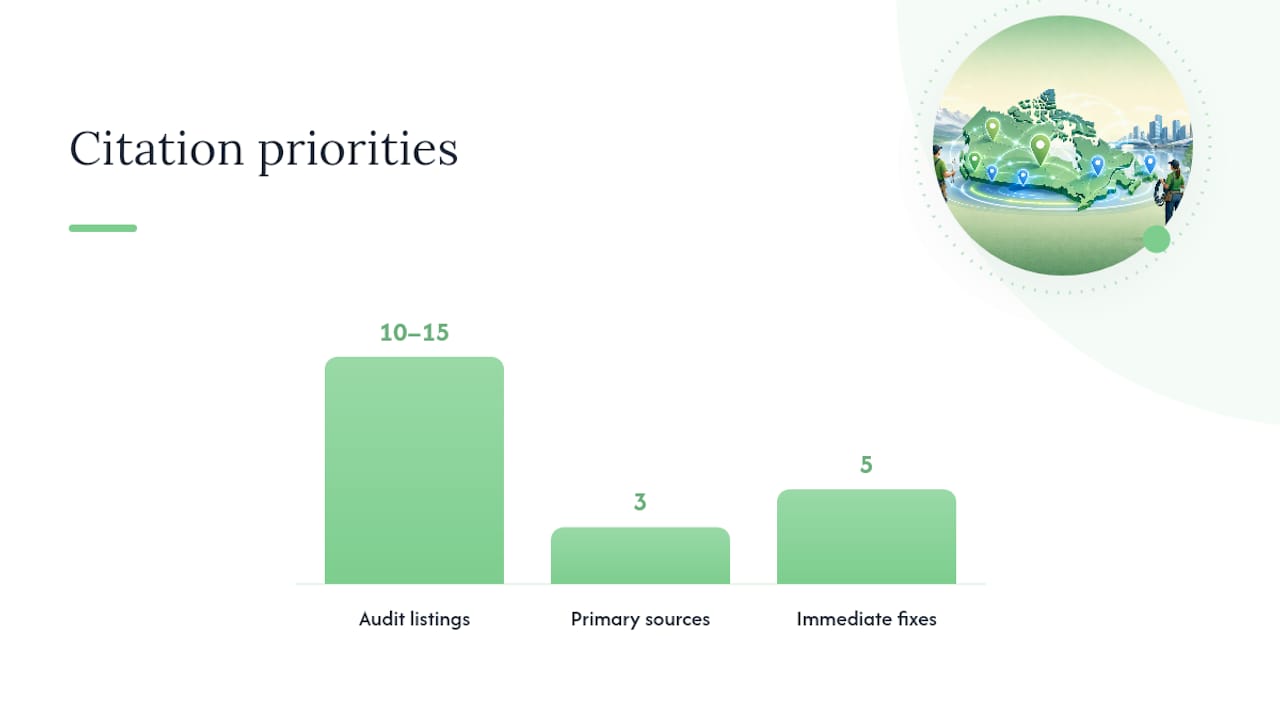
Accurate listings help customers reach the right business, while relevant links and mentions can contribute to prominence and referral traffic. Prioritize sources connected to your real operation instead of paying for hundreds of low-quality directory submissions.
- Keep the business name, address or service-area presentation, phone number, and website consistent on important profiles.
- Correct outdated phone numbers, domains, hours, or addresses on established directories and social profiles.
- Claim legitimate trade-association and licensing-directory profiles where applicable.
- Ask manufacturers or suppliers to list the business only when it is genuinely authorized or certified.
- Look for real community partnerships, sponsorships, chambers, and local organizations that make business sense without requiring a ranking promise.
A citation cleanup is maintenance, not a substitute for a useful website, good customer experience, or accurate Google Business Profile.
Make the website convert the local traffic you earn
Ranking is not the finish line. A customer arriving from Maps or Search still needs to understand the service, trust the business, and complete the next step.
- Show the main service and real coverage area near the top of the page.
- Make the phone number easy to tap on a mobile device.
- Keep quote forms short and request only information needed for the next conversation.
- Use real project photos and customer proof with permission.
- State licences, insurance, certifications, warranties, and financing accurately where relevant.
- Test every form, phone link, confirmation message, and notification.
- Improve Core Web Vitals and avoid large files or pop-ups that obstruct the page.
Google’s current Core Web Vitals guidance recommends aiming for an LCP within 2.5 seconds, INP below 200 milliseconds, and CLS below 0.1 at the 75th percentile. These are user-experience targets, not a promise that passing them will produce a particular ranking.
If the website is the weak point, review CloudSprout’s website development service and the owner-operated business SEO checklist.
Measure qualified calls and booked work
Use ranking reports as diagnostic information, not the main business outcome. Local results vary by location, device, query, and time.
| Metric | Where to measure it | What it means |
|---|---|---|
| Profile search terms | Google Business Profile Performance | Queries that displayed the profile |
| Call clicks | Google Business Profile Performance | How often customers clicked the profile’s call button; this does not confirm a completed or qualified call |
| Website clicks and directions | Google Business Profile Performance | Actions taken from the profile |
| Organic queries and pages | Google Search Console | Which searches and pages receive impressions and clicks |
| Calls and quote forms | Analytics, form records, call tracking, or CRM | Whether website visits become enquiries |
| Qualified leads and booked jobs | CRM or job-management system | Whether enquiries become real revenue opportunities |
Record a baseline before major changes, use tracking parameters on the Business Profile website link, and review results by service and location. A lead source is useful only if staff record it consistently.
How long does local SEO take, and what does it cost?
There is no reliable universal timeline for reaching the Map Pack. Results depend on relevance, customer distance, prominence, competition, website history, profile condition, reviews, and the quality of the work. Google explicitly states that there is no way to request or pay for a better organic local ranking.
Use milestones you can control:
- profile access, accuracy, security, and policy compliance;
- a functioning review process used for genuine customers;
- service and location pages that satisfy real buying questions;
- working call and quote tracking;
- clean high-value listings and relevant local relationships; and
- measured improvements in qualified enquiries and booked jobs.
A DIY cleanup may cost only staff time and any required software. Professional work can range from a focused profile or page project to an ongoing program covering content, technical SEO, reviews, reporting, and conversion improvement. Compare proposals by deliverables, ownership, access, reporting, and maintenance—not by a guaranteed ranking claim.
Common local SEO mistakes trade businesses make
- Keyword-stuffing the business name. Use the genuine real-world name instead of adding cities and services.
- Showing a residential address customers cannot visit. Configure the profile as a service-area business and hide the address.
- Creating a profile for every city. One service-area business generally uses one profile unless real staffed locations separately qualify.
- Using too many categories. Choose the fewest accurate categories and put individual services in the service fields and website content.
- Offering rewards for reviews. Incentivized reviews and selective positive-review solicitation violate Google policy.
- Publishing cloned city pages. Create fewer pages with genuine local value instead of doorway-style variations.
- Using stock images as proof of work. Add original project photos when permission, privacy, and job-site rules allow.
- Tracking rankings but not revenue. Connect profile and website activity to qualified leads and booked jobs.
- Letting an agency own the profile. The business should retain owner access and grant the agency an appropriate management role.
Should you handle local SEO yourself or hire a specialist?
| DIY may be practical when | Specialist help may be useful when |
|---|---|
| You have one profile, one service area, and access to every account. | The profile is suspended, duplicated, incorrectly owned, or connected to outdated information. |
| Your website already loads well and is easy to edit. | The site needs technical repairs, new service architecture, tracking, or conversion work. |
| A team member can request reviews, publish proof, and review performance consistently. | No one owns the process or connects marketing enquiries to booked jobs. |
| You serve a limited market with a straightforward service offer. | You have several staffed locations, service lines, franchise rules, or competitive markets. |
A reputable provider should explain what it will change, obtain written permission to manage the profile, keep you as an owner, avoid ranking guarantees, and report on leads rather than presenting screenshots from one convenient map location.
Turn local searches into a working lead system
CloudSprout works with contractors and trade businesses on Google Business Profile setup, service pages, mobile conversion, reviews, websites, and lead follow-up. The goal is a connected system that helps the right customer find the business, make contact, and receive a reliable response.

Explore CloudSprout’s contractor and trades solutions or book a free 30-minute strategy call. Bring your website and Google Business Profile. The team can review the current setup and explain which improvements should come first, with no ranking guarantee or obligation.
Questions Canadian trade businesses ask
How do I start local SEO for a trade business?
Verify and correct your Google Business Profile first. Then create a policy-compliant review process, improve the website page for your priority service, and connect profile and website activity to calls, forms, and booked jobs.
Can I rank in every city listed in my service area?
No setting guarantees visibility in every selected city. Google considers relevance, distance, and prominence for each search. Use accurate service areas and build useful pages only for markets the business genuinely serves.
Should a home-based contractor show their address?
If customers do not visit and receive service at that address, Google says to remove the address from the public profile and configure the business as a service-area business.
Can I give a discount for a Google review?
No. Google prohibits offering payment, discounts, free goods, services, or other incentives in exchange for posting, changing, or removing a review.
Do I need one page for every service and city?
No. Create a dedicated page only when it serves a distinct customer need and contains enough useful, original information. Avoid mass-producing substantially similar city pages that funnel visitors to the same destination.
How do I know if local SEO is working?
Track Business Profile searches and actions, Search Console visibility, website calls and forms, qualified-lead rate, booked jobs, and revenue. Compare those figures with a baseline and review results by service and location.
Official Google sources
- Google Business Profile Help: Tips to improve your local ranking
- Google Business Profile Help: Guidelines for representing your business
- Google Business Profile Help: Manage service areas
- Google Business Profile Help: Tips to get more reviews
- Google Business Profile Help: Prohibited and restricted content
- Google Business Profile Help: Understand profile performance
- Google Search Central: Spam policies and doorway abuse
- Google Search Central: LocalBusiness structured data
- Google Search Central: Core Web Vitals