

Here is the surprising part: the logo is usually the last thing you should touch. Most rebrands that go sideways start with a new logo and a fresh colour palette, then discover the name is already taken, the website lost its Google rankings, and customers cannot tell who the business is anymore. A good rebrand runs in the opposite order: reason first, research second, legal checks third, design fourth, launch last.
This checklist is written for owner-operators in Ontario and across Canada: the plumber with a van that needs re-lettering, the café adding a second location, the accounting practice that outgrew its name. Work through it in order and you will know whether you should rebrand at all, what to check before you commit, and what to update on launch day.
TL;DR
- Rebrand for a business reason (growth, a bad reputation, a merger), not because the logo feels tired. If the core is sound, a refresh is cheaper and safer.
- Set goals and record baseline numbers before you design anything, or you will never know whether it worked.
- In Ontario, check your name against the trademark database and the registration rules before you print a single business card.
- Redirect every old web address to its new one with 301 redirects, and update your Google Business Profile, email, invoices and directories the same week.
- Tell your team first, your best customers second, and everyone else on launch day.
Table of Contents
- Do you need a rebrand, or just a refresh?
- Step 1: Write down why, and what success looks like
- Step 2: Research your customers and competitors
- Step 3: Check your name and the legal side (Ontario and Canada)
- Step 4: Build the message, then the look
- Step 5: Update your website without losing your Google traffic
- Step 6: Update the business systems nobody sees
- Step 7: Prepare your team and your customers
- Step 8: Launch consistently, then measure
- Our perspective: rebrand the business, not just the logo
- Want a second pair of eyes before you start?
- FAQ
- Sources
Do you need a rebrand, or just a refresh?
A rebrand changes what the business stands for and how it presents itself: name, positioning, message, look. A refresh keeps all of that and updates the look. HubSpot’s guidance on rebranding describes a refresh as modernizing elements while keeping the brand’s core identity and strategy, and says a full rebrand fits situations such as national or international expansion, a brand that restricts growth, negative customer associations, or a merger or acquisition.
Translate that into small-business terms:
| Your situation | Likely answer |
|---|---|
| Your logo looks dated, but customers know and trust your name | Refresh |
| You started as “Mike’s Lawn Care” and now do landscaping, snow removal and design-build | Rebrand (the name now restricts growth) |
| You bought or merged with another company | Rebrand |
| Your name is tied to a past owner, scandal or bad reviews you cannot shake | Rebrand |
| Your website looks old but your name and message are fine | Website redesign, not a rebrand |
| You want to expand beyond your town into other provinces | Rebrand, if your name is local-only |
The last two rows matter. Many owners who say “we need a rebrand” actually need a better website or clearer messaging. If that sounds like you, our website redesign timeline shows what that project involves.
Quick test you can film in 30 seconds: stand across the street from your sign or van and ask a stranger what you do. If they cannot say, the problem is the message, not the colours. Fix the message and the visuals follow.
Step 1: Write down why, and what success looks like
Every strong checklist starts here, and for good reason. Write one sentence: “We are rebranding because ___.” If the sentence is “it looks old,” go back to the refresh question.
Then attach numbers. Shopify’s rebranding guide recommends setting SMART goals (specific, measurable, achievable, relevant, time-bound) and recording baselines for measures such as brand awareness and sales, so you can judge the rebrand’s impact afterwards.
For a small business, a baseline sheet might include:
- Monthly website visitors and where they come from
- Calls, form submissions and quote requests per month
- Google Business Profile views, calls and direction requests
- Number of reviews and average rating
- Revenue per month and repeat-customer share
- Social followers and, more importantly, enquiries that came from social
Copy these numbers into a spreadsheet today, dated. A rebrand without a “before” is just a redecoration.
Step 2: Research your customers and competitors
Before designing, find out what your customers actually think. You do not need a research firm. Shopify’s guide points to researching your audience and competitors, defining your positioning and testing key changes with customers. In practice:
- Ask ten recent customers three questions. Why did you choose us? What three words describe us? What almost stopped you from calling?
- Read your own reviews and highlight the words people repeat. Those are your real brand attributes.
- Look at five local competitors’ websites and trucks, signs or storefronts. Note what they all look and sound like. If everyone in your trade uses a blue shield logo, a different look can be your advantage.
- Define your positioning in one sentence: who you serve, what you do, and why you are the better choice. For example: “We install and service furnaces for Hamilton homeowners, with same-day emergency response.” That sentence drives the name, message and design, not the other way round.
Step 3: Check your name and the legal side (Ontario and Canada)
If you are changing the name, do this before you fall in love with anything. This is where a rebrand gets expensive when skipped.
Search trademarks first. The Canadian Intellectual Property Office recommends searching its trademark database before committing to a name or mark, because searching can reduce the risk of infringement or having to rebrand again.
Know the Ontario rules. Under the Business Names Act, a corporation may not carry on business or identify itself to the public under a name other than its corporate name unless that name is registered. So if your corporation is “1234567 Ontario Inc.” and you trade as “Northshore Roofing,” that trade name has to be registered. A new storefront sign does not change that.
If you are incorporating under a new name, Ontario’s Regulation 398/21 requires that an application for a new corporate name be supported by an Ontario-weighted Nuans search report dated within 90 days. Time your search close to your filing, not months ahead.
Laws and fees change, so confirm the current requirements on the government pages above. For anything involving a registered trademark, a shareholder agreement or a name change on contracts, talk to a lawyer or a trademark agent. That is a short conversation that can save you a rebrand of the rebrand.
Also check, the quick way:
- Is the .ca domain (and the .com, if you want it) available?
- Are the social handles free on the platforms you use?
- Does the name mean something unfortunate in French? Many Canadian customers read both languages.
- Say it on the phone. If people ask you to spell it three times, simplify.
Step 4: Build the message, then the look
Now you can design. Work through these in order, because each one constrains the next.
Messaging
- Positioning sentence (from Step 2)
- Tagline, only if it says something specific. “Quality and service” says nothing.
- Three proof points you can back up: years in business, certifications you actually hold, guarantees you actually offer
- Tone of voice: how you write an email or answer the phone. Friendly and plain, or formal and precise? Decide and write it down.
Visual identity
- Logo in a horizontal and a stacked version, plus a small square icon for social profiles and the browser tab (favicon)
- Two or three brand colours, with exact codes so a printer and a web designer match them
- Two fonts at most: one for headings, one for text
- Photo style: real photos of your team and work beat stock images every time
- A one-page brand sheet that pulls all of this together, so the next person who touches your marketing does not guess
Test the logo where it will really live: on a phone screen at thumbnail size, embroidered on a shirt, on the side of a truck from 20 metres. A design that only looks good on a big monitor is not finished. Shopify’s guide recommends testing key changes with customers; showing two options to ten loyal customers costs nothing and is better than guessing.
Step 5: Update your website without losing your Google traffic
This is the step most checklists skim, and it is where a rebrand can quietly cost you leads. If your web address, page structure or business name changes, search engines need to be told where everything went.
Google’s documentation says that 301 (moved permanently) status codes are a strong signal to search engines that the content has moved. In plain words: every old page address should point to its new address with a 301 redirect, not simply disappear.
Website checklist:
- Map every old URL to its new URL in a spreadsheet before launch
- Set up 301 redirects, including the old domain pointing to the new one if the domain changes
- Update the logo, favicon, colours, fonts and photos
- Rewrite page titles and descriptions where the old name appears
- Update the footer, contact page, About page and legal pages
- Reinstall analytics and confirm it is recording on the new site
- Submit the new sitemap in Google Search Console
- Test every form, phone link and booking button on mobile
- Check for broken links and old-name mentions a week after launch
If the domain or the site’s structure changes, read our website migration checklist first. It covers the technical order of operations in more detail.
Local search is part of the brand
For trades, restaurants and professional practices, a large share of new customers come from the map results, not from your website. Your business name, address and phone number need to match everywhere: Google Business Profile, Apple Maps, Bing, Yelp, industry directories, your chamber of commerce listing. Mismatches confuse both customers and search engines.
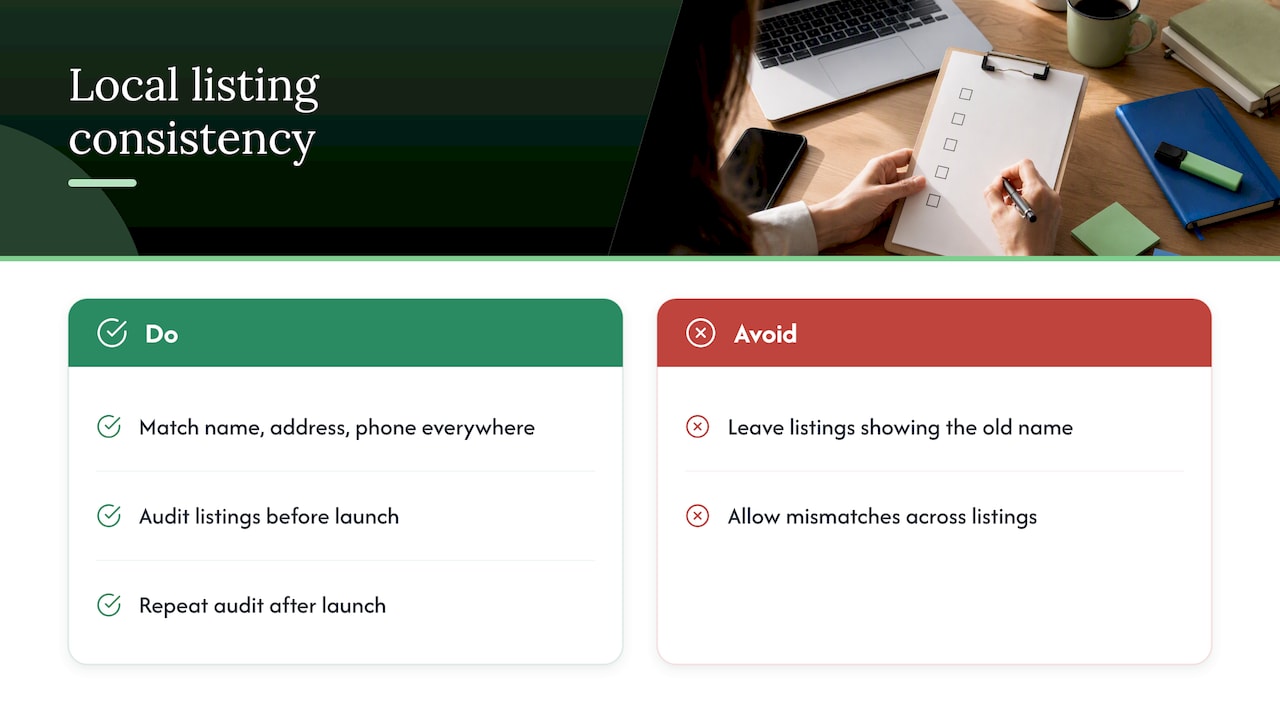
Before launch, run a local SEO audit checklist to see how you appear in your area and to catch listings still showing the old name. After launch, repeat it to confirm the updates took hold. Our own local SEO guide for Ontario businesses and the owner-operated business SEO checklist explain the basics in plain language.
Step 6: Update the business systems nobody sees
The rebrand is not finished when the website goes live. Customers meet your brand in dozens of small places. Make a list and tick each one off:
Documents and money
- Invoice, quote and estimate templates
- Email signatures and auto-replies
- Contracts, waivers and terms of service
- Bank, payment processor and accounting software business name (confirm with your bank and accountant what paperwork a name change needs)
- Business insurance and licences, so the name matches your paperwork
Tools
- CRM, booking and scheduling software: sender names, logos and email templates
- Newsletter and text-message tools
- Online review request messages
- Domain and email: new addresses set up, old addresses forwarding for at least a year so no enquiry is lost
Physical
- Vehicle wraps and lettering, uniforms, signs, packaging, menus, business cards
- Order printed items only after the final colour codes are signed off
If your CRM and automations send messages under the old name, customers will see the mismatch within days. Our marketing automation checklist can help you find every automated message that still carries the old brand.
Step 7: Prepare your team and your customers
The people closest to the business should never learn about a rebrand from Instagram.
Team first. A week or two before launch, explain what is changing and why, show the new look, and give everyone the one-sentence positioning and the new way to answer the phone. Staff who can explain the change in 20 seconds are your best launch tool.
Best customers second. Send a short personal note to repeat customers and referral partners: the name is changing, the people and the quality are not. Say what stays the same first. Tell them the old email address and phone number still work.
Everyone else on launch day. Post the announcement on your site, Google Business Profile and social channels. Keep the announcement simple: what changed, why it helps the customer, and what has not changed. A short before-and-after video of the van, the sign or the storefront works well on Instagram and TikTok, because it is visual and people love watching a transformation.
If you handle social media yourself, our guide to running social media without an agency helps you plan the launch posts.
Step 8: Launch consistently, then measure
Launch week checklist:
- Website and redirects go live
- Google Business Profile and directory listings updated
- Email signatures and invoice templates switched
- Social profiles renamed, new profile images posted
- Announcement sent to customers and published
- Team uses the new name and greeting
- Old name mentioned for a while as “formerly …” so people connect the two
Then go back to the baseline sheet from Step 1. At 30, 90 and 180 days, compare the same numbers: visitors, enquiries, calls from your map listing, reviews, revenue. Shopify’s guide ties a rebrand’s evaluation to the goals and baselines you set up front, which is why the first step matters. Expect a dip in some numbers right after a name change while search engines and customers catch up. If numbers are still down at 90 days, check your redirects and listings first, because that is the most common culprit.
Our perspective: rebrand the business, not just the logo
We build websites, handle SEO and local search, and do branding and identity work for small and mid-sized businesses in Ontario, all in-house. That gives us a clear view of how rebrands go wrong: the design gets all the attention, and the plumbing around it (redirects, listings, email, invoices) gets none.
Our advice is to treat a rebrand as a business project with a design component, not a design project. Spend the first third of the time on the reason, the research and the name checks. Spend the middle on identity and messaging. Spend the last third on the unglamorous updates that protect the leads you already get. And keep a before-and-after record, because owners who can see the numbers make better decisions the next time.
We would also rather talk you out of a rebrand than sell you one you do not need. If a refresh and a better website solve your problem, that is the better investment.
— Cristo
Want a second pair of eyes before you start?
If you are weighing a rebrand, start with what you already have. We begin with a free trial that includes a full digital audit of your website, search presence and listings, so you see what needs protecting before anything changes. Our branding and identity work sits alongside website, SEO and automation under one roof, with month-to-month pricing and no lock-in contracts. Plans start at $300 per month for Sprout, with one-off setup fees of $500 to $1,500; you can see every plan on the pricing page. Or start at our homepage and tell us what you are trying to change.
FAQ
When should a small business rebrand?
Rebrand when something about the business itself has changed or is holding it back: you are expanding into new markets, your name limits what customers think you do, your reputation carries baggage, or you are merging with another company. If the business is fine and only the look is tired, a refresh is usually enough.
What should a rebranding checklist include?
At minimum: your reason and goals with baseline numbers, customer and competitor research, name and trademark checks, messaging, visual identity, website and redirect updates, local listings, business documents and tools, team and customer communication, and a measurement plan. The sections above follow that order.
How long does a rebrand take?
It depends on whether the name changes and how many physical items need replacing. A visual refresh with a website update is a much smaller project than a new name with legal checks, vehicle wraps and new signage. Build your timeline backwards from the items with the longest lead time, usually printing, signage and legal paperwork.
Will a rebrand hurt my Google rankings?
It can if old pages vanish or your listings show conflicting names. Google says that 301 redirects are a strong signal that content has moved, so redirect every old address to its new one and update your business listings. Check your rankings and map visibility against your baseline after launch.
Do I need to register a new business name in Ontario?
If a corporation trades under a name other than its corporate name, the Business Names Act requires that name to be registered. A new corporate name needs a current Nuans search. Check the Ontario government pages linked above, and confirm details with a lawyer or your accountant.
Sources
- Brand Refresh vs Rebrand: Which is Best for You?, HubSpot
- Rebranding Guide: When To Rebrand, Shopify
- Search intellectual property databases, Canadian Intellectual Property Office
- Business Names Act, R.S.O. 1990, c. B.17, Ontario e-Laws
- O. Reg. 398/21 Names and Filings, Ontario e-Laws
- HTTP status codes and Google’s crawlers, Google Search Central