

You can automate most of the repeatable work around a new hire: the offer paperwork, tax forms, account setup, equipment requests, reminders and check-ins. The idea is to enter the hire once and let a workflow handle everything after that. Keep the welcome, the first conversations and the coaching human. That is what HR onboarding automation means: using automation to handle the manual tasks of bringing a new employee on board, so you stop being the person who chases every form by hand.
Here is the picture that makes it click. Imagine your new electrician’s first morning. Their laptop login works, their payroll forms are already signed, their truck keys are booked, and their first-week schedule is in their inbox. You did not send a single email that morning. That is the goal, and a small team can reach it without buying an enterprise HR suite.
TL;DR
- Onboarding automation is a set of triggers and actions: when something happens (offer accepted), the system does the next steps (send forms, request accounts, notify the manager).
- Automate the procedural work: paperwork, access, equipment, reminders, 30-60-90 day check-ins. Keep welcomes, coaching and hard conversations personal.
- In Ontario, build in the legal basics: the SIN request, TD1 forms, written job information for employers with 25 or more employees, and the electronic monitoring policy.
- Map your current process on paper first. Automating a messy process only makes the mess faster.
- Pilot with one hire or one role, then measure errors, time to productivity and new-hire feedback.
Table of Contents
- Why does onboarding feel so chaotic in a small business?
- What does onboarding automation actually do?
- Which onboarding tasks can a small business automate?
- How do I set up an automated onboarding workflow, step by step?
- What do I need to get right in Ontario?
- How do I keep it secure and personal at the same time?
- How do I know it is working?
- Want a hand building it?
- FAQ
- Sources
Why does onboarding feel so chaotic in a small business?
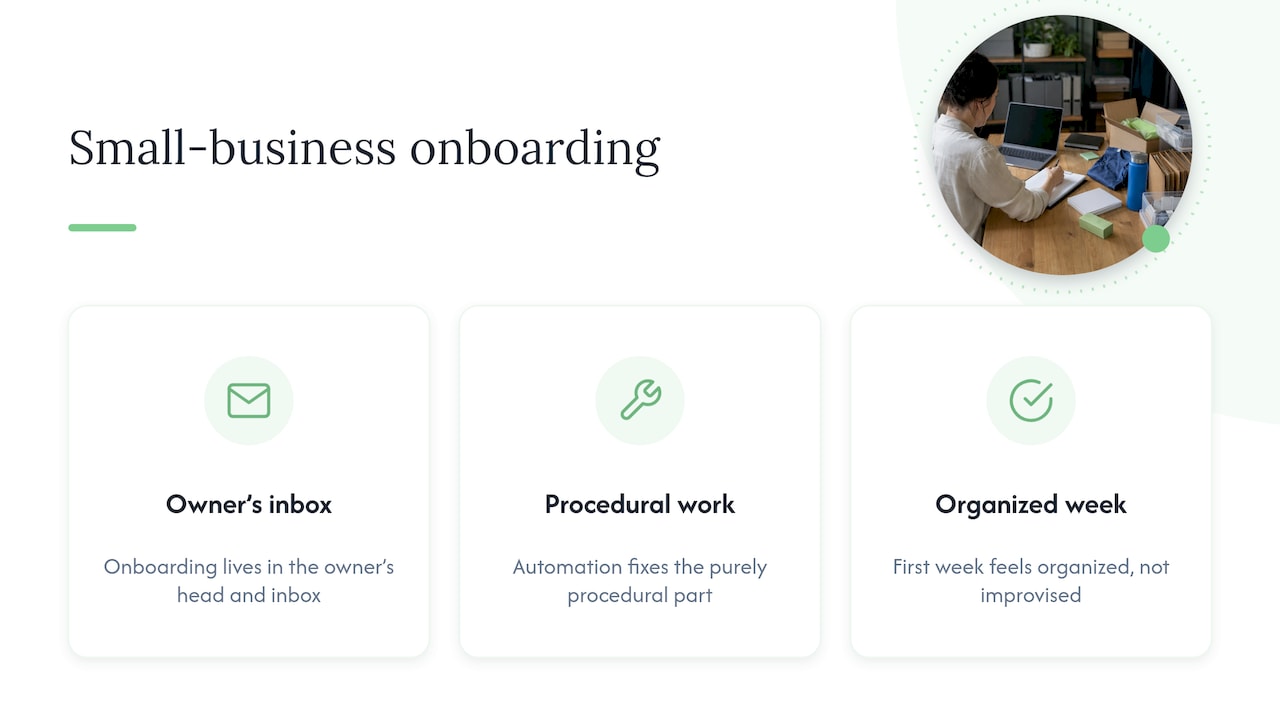
In a ten-person company, onboarding usually lives in the owner’s head and inbox. You send the offer, remember the tax forms, ask someone to order a laptop, forget the email account until day one, and promise to book a check-in that slips. None of that is bad management. It is just that nobody has written the steps down, so every hire gets a slightly different experience.
Automation fixes the part that is purely procedural. IBM’s view is that the value comes from less manual effort and fewer errors, and a better experience for both HR and the new employee. For a small business, that translates into hours you get back and a first week that feels organized instead of improvised.
What does onboarding automation actually do?
Strip away the software names and every onboarding automation has three parts:
- A trigger: the event that starts it, such as a signed offer letter, a new employee record or an approaching start date.
- Conditions (optional): rules that change what happens, such as role, location or full-time versus part-time.
- Actions: what the system does, such as sending a form, creating an account, assigning a task or booking a meeting.
A simple example for a landscaping company: when a seasonal hire signs the offer, the system emails the tax forms, adds a task for the owner to order boots and a uniform, asks whoever manages your systems to create the email account, and schedules a Friday check-in with the crew lead. If the hire is a driver, an extra condition adds a licence check and a safety-training task.
That same logic scales from a spreadsheet with reminders to a custom workflow connecting your payroll, email and scheduling tools. We cover other builds of this kind in workflow automation examples small teams can set up in a few weeks.
Which onboarding tasks can a small business automate?
Think in terms of whether a task is procedural (same steps every time) or relational (depends on judgment and a human response). Procedural tasks are the automation targets.
| Stage | Good to automate | Keep human |
|---|---|---|
| Offer accepted | Welcome email, offer and contract delivery, e-signature, document requests | A personal call from the owner or manager |
| Before day one | Tax and payroll forms, policy acknowledgements, equipment and access requests | Answering nervous questions |
| Day one | Account creation, checklist assignment, schedule and training enrolment | Greeting them, a tour, lunch with the team |
| Weeks 1 to 4 | Reminders, training modules, buddy introductions, check-in prompts | Coaching, feedback, the first real conversation about how it is going |
| 30, 60, 90 days | Survey sends, milestone reminders to the manager | The review itself |
A useful rule: if a mistake would be annoying but not hurtful, automate it. If a bad message could make someone feel unwelcome or anxious, write it yourself and let automation only remind you to do it.
One trick that works well: automate the reminder to a person, not the message itself. A task that tells the crew lead “Check in with Sam today” keeps the human part human while making sure it happens.
How do I set up an automated onboarding workflow, step by step?
You do not need to start with software. Start with the process.
1. Write down what you do today
List everything that happens between “yes, I accept” and the end of the first 90 days, who does each step and how long it takes. Include the awkward items like “someone texts the owner to ask for the Wi-Fi password.” Most owners find ten to twenty steps they had never listed.
2. Sort the list into automate and keep human
Mark each step as procedural or relational using the table above. Be honest about which tasks you personally enjoy doing for the team. Those stay.
3. Pick your trigger
The cleanest trigger is a signed offer or a new employee record, because it only happens once per hire. Everything else hangs off it with timing: “3 days before start,” “day one,” “day 30.”
4. Connect the data once
The biggest time saver is entering a new hire’s details a single time and letting them flow into payroll, email, your task list and your files. Re-typing the same name, address and start date into four systems is where errors creep in. A small business can connect these with its existing tools or with a custom build.
5. Build role-based versions
A bookkeeper and a delivery driver need different checklists. Use conditions so one workflow produces the right tasks for each role, and add location or employment type if it matters to you.
6. Write your messages in your own voice
Templates should sound like you, not like a form letter. Name the manager, say what the first morning looks like and tell them where to park.
7. Test before a real hire touches it
Run it with a fake employee using your own email. Check every message, form and task. Then pilot it with your next real hire and ask them what felt off.
If you are also thinking about the customer side, our guide on how to automate customer onboarding and keep it human follows the same logic.
What do I need to get right in Ontario?
Automation does not change your legal duties, but it is a good way to make sure they are never forgotten. Here are the main points for an Ontario employer. Employment law details change, so confirm the current rules on the official pages linked here or with a lawyer or HR professional.
Payroll and tax paperwork
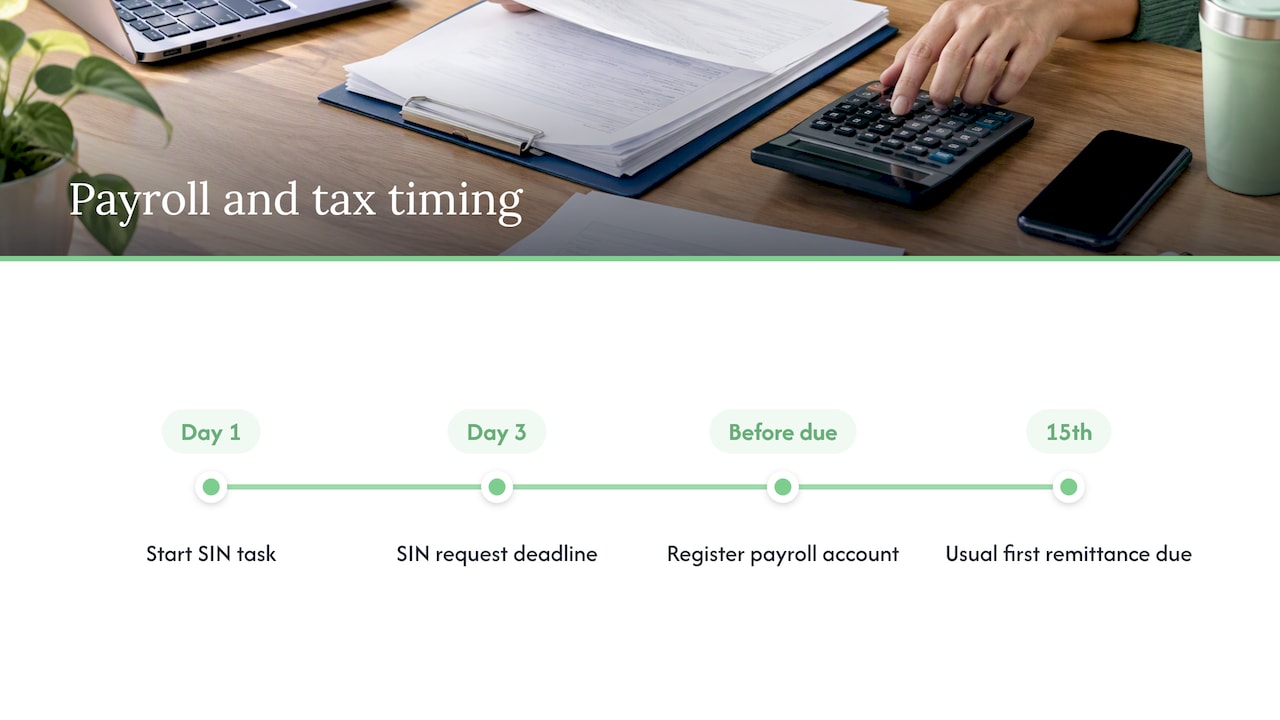
The Canada Revenue Agency’s employers’ guide says you need to obtain the employee’s SIN, a completed federal TD1 and the applicable provincial TD1, deduct CPP, EI and income tax, remit them, report income on slips and keep records. The same guide says you must ask for the SIN within three days of the employee starting work and document reasonable efforts if it is not provided.
That three-day window is a perfect automation target: a task that fires on day one and a reminder on day three. The amount of income tax deducted depends on federal and provincial rates and the claim code on the employee’s TD1, so a missing TD1 is a real payroll problem, not a formality.
If this is your first employee, you also need a payroll account. The CRA explains that an employer generally must register before the first remittance due date, and the usual first due date is the 15th of the month after deductions began, unless the CRA assigns a different frequency.
Written job information (25 or more employees)
Ontario’s employment standards guide says that since July 1, 2025, employers with 25 or more employees on a new hire’s first day must give specified job information in writing before the first day, or as soon afterward as reasonably possible if advance delivery is impracticable. The required details include legal and operating names, contact information, anticipated work location, starting wage or commission, pay period and payday, and a general description of anticipated hours. If you are near that headcount, building this into your offer-accepted workflow means it goes out every time without anyone remembering.
Electronic monitoring policy
Employers with 25 or more employees on January 1 must have a written electronic monitoring policy before March 1. It must say whether monitoring happens and, if so, describe how, when and why the information may be used. New employees must receive it within 30 calendar days of the later of the policy date or their start date, and you keep copies for three years after the policy is no longer in effect. An onboarding workflow can attach the policy and record the acknowledgement.
Checking work authorization
If you hire temporary foreign workers, confirming work authorization and permit conditions is part of the job. Federal guidance for one specific program, the home care worker pilots, says employers must request the SIN within three days, verify work authorization and permit conditions, and register with the CRA. Check the rules for the specific permit your hire holds, and keep that check as a human step with a documented result.
How do I keep it secure and personal at the same time?
Onboarding collects some of the most sensitive information you will ever hold: SINs, banking details, addresses, sometimes medical or immigration documents. Three habits protect it.
- Limit who sees what. The person scheduling equipment does not need to see a SIN. Set permissions by task.
- Retire records properly. Ontario’s Information and Privacy Commissioner recommends secure destruction procedures once records with personal information are no longer being retained. Build a retention date into the workflow instead of relying on memory.
- Keep a paper trail. Link the approved hire to the offer, policy acknowledgements, payroll handoff and access requests, so you can show what was sent and signed without retyping anything.
For the personal side, the fix is simple: automation sends the prompt, a person sends the message that matters. A new hire who gets a perfectly timed form and a handwritten-feeling welcome from their manager feels looked after. One who gets only robot emails does not.
Our view: automate the paperwork so you have time for the people
Most owners we meet do not need a bigger HR system. They need the five or six things that fall through the cracks to stop falling. When we build automation for a small team, we start by sitting down with the person who actually runs the process, not a committee, and we map what they do now.
Then we automate the handoffs: the form that never gets signed, the account that is not ready on day one, the check-in nobody books. Everything is built in-house by the team you talk to, which means no handing your process to a third party.
Our rule is that automation should give you more time with your new hire, never less. If a step needs warmth, it stays with you, and the system’s job is to remind you at the right moment.
Cristo
How do I know it is working?
Pick a few simple measures before you launch, so you can compare:
- Time to first productive week. How long until the new hire can do the core of the job unaided?
- Errors and chasing. How many forms came back incomplete, accounts were late or tasks were missed?
- New-hire feedback. A three-question survey at day 7 and day 30 beats guessing.
- Your own hours. Count the time you spent on admin for the last hire versus this one.
Pilot with a small group or a single hire, fix what feels clunky and only then roll it out to every role. Review it each time your process changes: a new role, a new payroll provider or a new law.
Want a hand building it?
If you would rather not wire this up yourself, our team builds business automation for small and mid-sized Canadian businesses, including onboarding flows that connect your forms, email, payroll handoff and task lists. We deliver the work in-house, with month-to-month pricing and no lock-in contracts.
Our published monthly plans are Sprout at $300 CAD per month, Grow at $600 CAD per month and Scale at $1,200 CAD per month, with one-off setup fees of $500 to $1,500, $1,500 to $3,500 and $3,500 to $7,500 CAD respectively. Custom automation projects are scoped individually. You can compare everything on our pricing page, browse all our services, or start with a free trial that includes a full digital audit. If you are curious about handing repetitive work to software that acts like a team member, read about a 30-day pilot to hire an AI employee. You can also see our wider CRM and follow-up automation work, and reach us at cloudsprout.ca.
FAQ
What is HR onboarding automation in plain words?
It is using software to handle the repeatable steps of bringing in a new employee, like sending paperwork, setting up accounts and sending reminders. IBM describes it as handling manual HR tasks such as paperwork, follow-ups, permissions and role-specific training. You still decide what happens; the system just does it on time, every time.
Is onboarding automation worth it if I only hire a few people a year?
Often yes, because a process that runs rarely is the one you forget. A written, automated checklist means that when you hire once or twice a year, nothing is missed and you do not have to rebuild the steps from memory. Start small: even a trigger that sends forms and reminds you of the three-day SIN request is useful.
Can automation make onboarding feel cold?
Only if you automate the wrong things. Automate forms, access and reminders, and keep the welcome, the first-day conversation and feedback personal. A good setup actually frees you to spend more face time with the new hire.
Do Ontario employment rules apply to automated onboarding?
Yes, the rules are the same whether you use paper or software. Ontario’s written job information and electronic monitoring policy requirements apply to employers with 25 or more employees, as the Ontario guide explains. Confirm your own situation with the official guide or an employment lawyer.
What should I automate first?
Start with the offer-accepted trigger: send the offer paperwork, collect the tax forms and create tasks for equipment and accounts. It touches every hire, saves the most chasing and is the easiest part to test.
Sources
- Onboarding Automation | IBM
- Employers’ Guide: Payroll Deductions and Remittances | Canada Revenue Agency
- Payroll Responsibilities for Employers | Canada.ca
- Determine if you need to register | Canada.ca
- Mandatory information for employees | Ontario employment standards guide
- Written policy on electronic monitoring of employees | Ontario employment standards guide
- Hire through the Home Care Worker Immigration pilots | IRCC
- Secure Destruction of Personal Information | Information and Privacy Commissioner of Ontario